P.I. Engineering · Williamston, Michigan

RailDriver Train Cab Controller

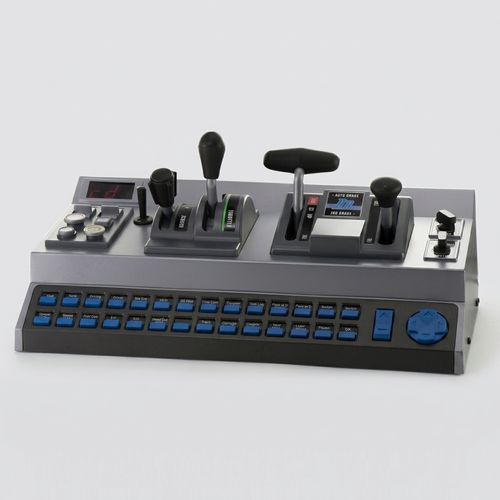
Three keyboard keys cannot hold a locomotive throttle, brake, and reverser steady down a long grade, so RailDriver moves all four levers onto one corded USB panel. The reverser and throttle both move in steps rather than smooth travel, and the first reverser notch lands near 9 percent.

You plug one USB cable into the PC and pick your simulator in the config tool. Your hands stay on the levers for the rest of the session. Owners have rated this cab controller 4.3 stars across 272 verified reviews. The mouse comes back only for the 2D map, and your keyboard goes back to typing.

  • One corded USB cable, no batteries and no wireless pairing to lose mid-session
  • 28 programmable buttons for horn, bell, camera pan, and cab functions
  • Retailer return window covers a desk that turns out too shallow
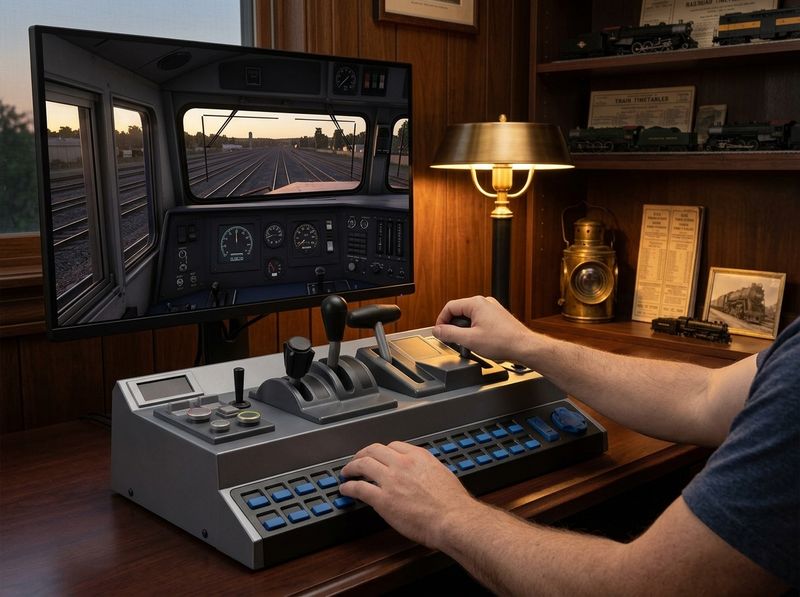
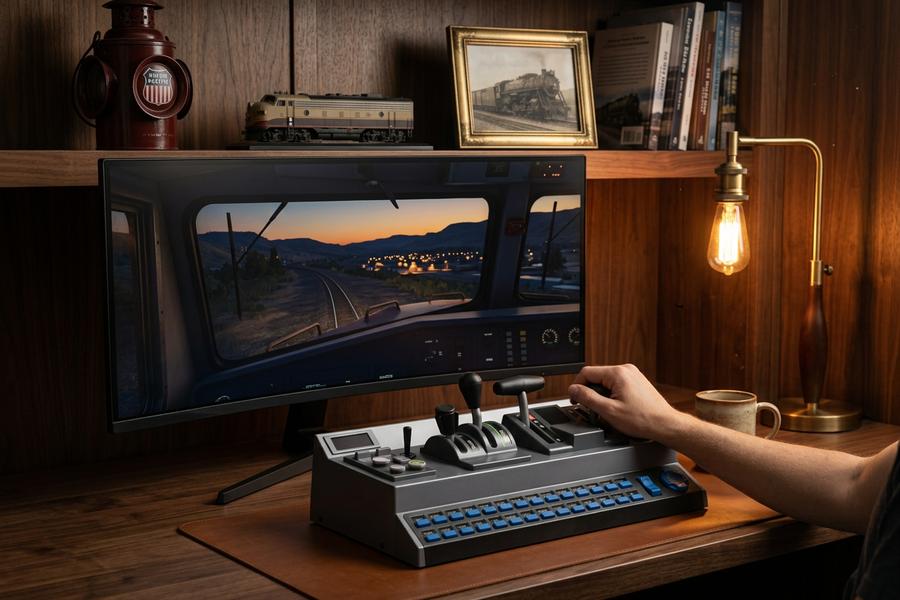
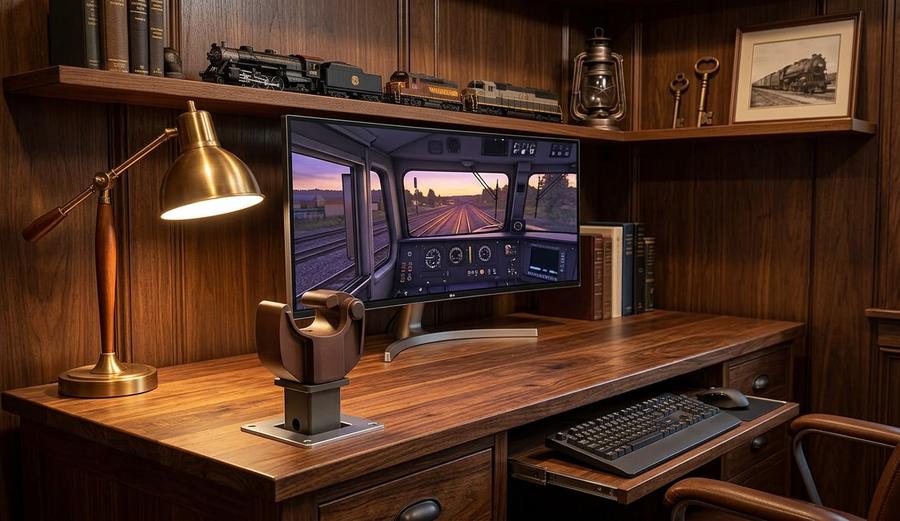
RailDriver USB Desktop Train Cab Controller on a home simulator desk
4.3★272 verified reviews
28programmable buttons
2002shipping since December
FCC & CEcertified electronics

Our products

One PC cab controller and one decorative hitch cover, both from P.I. Engineering, aimed at different corners of the same hobby.

RailDriver USB Desktop Train Cab Controller

RailDriver USB Desktop Train Cab Controller

4.3 (272 verified reviews)

Pull the throttle out a notch and hold speed down a long grade without tapping a key. Four levers copy a locomotive cab throttle, brake, reverser, and switch. 28 programmable buttons ring the panel for horn, bell, and camera pan. One corded USB cable carries every signal, so no battery dies at hour five and no dongle drops the pairing. Pick your simulator in the config tool once and the axes stay mapped. A repurposed flight quadrant hands you generic axes to guess at. The supported titles here load profiles that already know the reverser from the train brake. No brand warranty is published, so the retailer's 30-day return window is the test period. Check today's price and measure the desk first.

  • Four analog levers plus a full button bank: horn, bell, and camera pan get their own inputs
  • One corded USB link carries every axis, so no pairing drops and no battery dies mid-scenario
  • No published brand warranty; the retailer return window covers a defective arrival
Check price
RailDriver American Knuckle Coupler Decorative Hitch Cover

RailDriver American Knuckle Coupler Decorative Hitch Cover

4.5 (100 verified reviews)

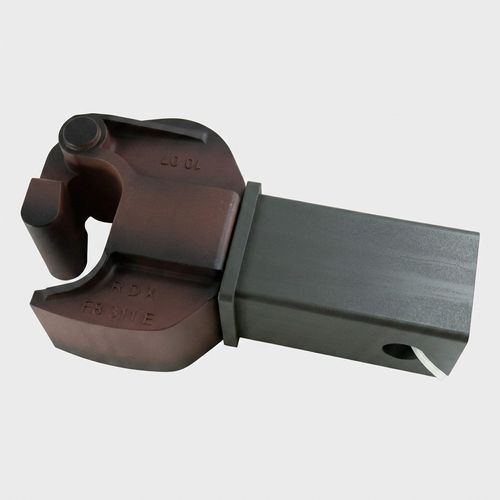
Back the truck into the driveway and the empty hitch receiver stops looking empty. This scale replica of an American knuckle coupler slides into a 2-inch or 1-1/4-inch receiver and stands about four inches proud. High-impact plastic in rusty brown and black carries a weathered finish that owners report holding up outdoors. One buyer left it mounted year-round and called it durable and weather proof. A plain rubber receiver plug only fills the hole. This one reads as a coupler head from ten feet away, which is why buyers keep giving it as a railroader's gift. Decorative only and not load-rated: it covers a receiver, it does not tow. 100 verified buyers rated it 4.5 stars, most of them buying it as a gift.

  • Fits a 2-inch or 1-1/4-inch receiver and stands about four inches proud of the bumper
  • High-impact plastic holds its weathered rusty-brown finish through outdoor seasons, per owner reports
  • 4.5 stars across 100 verified buyer reviews, most bought as gifts for railroaders
Check price

Why the Levers Beat the Keyboard

RailDriver hands you four analog levers and one corded USB cable in place of a keyboard shortcut sheet taped to the monitor.

Plug One Cable, Skip the Battery Drawer

Run a six-hour session on one corded USB link. No dead AA cells at hour five, and no wireless dongle to re-pair mid-scenario.

Give the Horn and Camera Their Own Keys

Assign the horn, bell, and camera pan their own inputs, confirmed on the manufacturer spec sheet, and 25 more sit unassigned. Owners running Train Sim World stop hunting keyboard shortcuts mid-grade.

Finish a Full Scenario Without the Keyboard

Picture a Sunday run from yard to terminal with both hands on the levers. One owner drove entire scenarios that way after switching to Run8.

Hold Speed Down a Grade on Dynamic Braking

Feather the brake lever a notch at a time on a long descent. Owners who fought keyboard steps report steady speed where taps used to overshoot.

Clear the Desk Width Before It Lands

Slide the keyboard forward once and the 5.5-pound frame settles between you and the monitor for good. The weight keeps the base planted when a lever gets pulled hard.

Send It Back Inside 30 Days If the Desk Says No

No brand warranty is published for this controller. The retailer's standard 30-day return window covers you if the panel arrives with the askew brake handle one buyer described.

From Box to First Run

RailDriver USB train controller setup runs through the config tool once, and the profile you pick there decides whether the levers respond.

  1. Plug In the USB Cable

    One corded cable runs from the panel to a PC port. Windows sees the device without a battery or a dongle.

  2. Pick Your Simulator Profile

    Open the config tool and select your title before you touch a lever. An unselected profile is the top cause of a dead-feeling throttle.

  3. Check the FWD/REV Switch

    Set the reverser switch out of neutral. A centred FWD/REV position leaves the throttle reading unresponsive when the wiring is fine.

  4. Map the Buttons You Want

    Assign horn, bell, and camera pan under your left hand, then save the layout with the profile.

The Sessions the Levers Were Built Around

A keyboard runs out of resolution across the 7 supported simulator titles, unsupported add-on locomotives, and mid-grade hunts for the horn key.

Switch Simulators Without Switching Controllers

Switch Simulators Without Switching Controllers

RailDriver reads native axes in Train Sim World 5 and 6, Derail Valley, Trainz, Rail Simulator, Run8, and Railworks Train Simulator 2013 and 2015. Run Derail Valley on a Tuesday night and load Train Sim World 6 on Wednesday, and the same throttle, brake, and reverser stay mapped where your hands left them. One name in that set arrives differently: Railroader loads through a community mod rather than a studio profile.

  • Install the Railroader mod in one pass and drive the same night, because the axes route through the community profile instead of a studio one.
  • Run8 was reportedly built around this panel, and one long-term owner moved there after Railworks left some Amtrak locomotives half-mapped.
  • A general-purpose joystick asks you to invent an axis layout. Each supported title here loads a profile that already knows the reverser from the train brake.
Check the throttle panel price
Remap an Add-On Locomotive the Studio Never Wired

Remap an Add-On Locomotive the Studio Never Wired

P.I. Engineering publishes an SDK that lets simulator studios wire the throttle, brake, and reverser axes natively into their own locomotives. One Railworks owner found roughly 75 percent of a personal roster driving from the levers after a patch. A handful of Amtrak units still needed manual key assignments.

  • Assign a keyboard command to a spare button when an add-on ignores the native axis, then save it inside the same profile.
  • A studio that adopts the SDK moves lever data straight into the locomotive code, which is why native support varies by title rather than by hardware.
  • A repurposed HOTAS gives you generic axes to guess at. The published integration path gives developers named throttle, brake, and reverser channels.
See the SDK-backed cab panel
Sound the Horn Without Leaving the Levers

Sound the Horn Without Leaving the Levers

28 programmable buttons ring the panel around the four levers and cover horn, bell, wipers, lights, and camera pan. Reach for the horn at a grade crossing without dragging a hand back to the keyboard. Camera pan stays on its own pair of inputs across the whole session.

  • Press the horn with a left thumb at the crossing while the right hand feathers the train brake.
  • The label strips slide into moulded indentations on the panel, so a swapped layout takes minutes rather than a re-print.
  • An eight-button pad forces one key to do double duty. Twenty spare inputs sit unassigned here until you want them.
See the button layout up close
Measure the Desk Before the Box Arrives

Measure the Desk Before the Box Arrives

The panel occupies 9.45 by 19.69 by 7.87 inches and weighs 5.5 pounds, heavy enough to stay put when a lever gets pulled hard. Measure the run between your monitor stand and the desk edge first. The keyboard has to move forward to make room.

  • Slide the keyboard forward about a hand's width and the panel drops into the gap between you and the monitor.
  • 5.5 pounds of frame keeps the base planted when you yank the reverser through its notches, with no clamp or mat.
  • A compact quadrant tucks beside a keyboard. This layout takes the space a full cab panel needs.
Check the desktop panel footprint

The Numbers Other Cab-Controller Guides Skip

P.I. Engineering publishes specs that category buying guides round off, from the reverser's first notch to the exact desk width.

first notch ~9%

Nudge the reverser off centre and the first notch settles near 9 percent travel. Steam drivers use that step to ease a train out of the yard without a lurch.

Category guides call the feel notched or detented. None name a percentage for the first step.

Owner-reported across verified buyer reviews

7 simulator titles

Buy one panel and drive all seven supported titles instead of a controller per game. Owners rotating between Derail Valley and Train Sim World 6 keep a single profile set.

Competing pages publish a compatibility checklist without counting how many titles it covers.

Manufacturer bullet points, confirmed in owner reviews

28 buttons

Move off an eight-button pad and twenty spare inputs arrive unassigned on day one. Horn and camera pan stop sharing a key with the wipers.

Buying guides quote a wide button range without naming the controller that sits at the top of it.

Manufacturer spec sheet

23+ years

P.I. Engineering has shipped this throttle-brake-reverser layout out of Williamston, Michigan since December 2002. That puts 23 years of owner feedback behind the lever design you unbox today.

Comparison pages use the word trusted without naming a date.

Manufacturer records, Williamston, Michigan

FCC & CE certified

Plug a device carrying FCC and CE electronics certification straight into the PC USB port. Both marks sit on the manufacturer spec sheet rather than in a marketing line.

No competing page in this category names a certification for its own controller.

Manufacturer spec sheet, certification listing

4.3 stars / 272 reviews

Read the one-star write-ups in that set and the complaint is price or decal ink, never axis mapping or dropped input. Owners who ran Train Sim World, Derail Valley, and Run8 wrote the bulk of the positive ones.

Generic listings publish a star average without breaking down what the low ratings object to.

Verified buyer reviews on the retail listing

19.69 in wide

Measure 9.45 by 19.69 by 7.87 inches of desk before the box lands. Buyers who cleared that width first avoided a second furniture trip.

Setup guides recommend clearing desk room without publishing the footprint to clear.

Manufacturer spec sheet, product dimensions

RailDriver cab controller levers in a home simulator setup

Two Decades of One Layout, Built in Williamston

P.I. Engineering has built this desktop train simulator controller out of Williamston, Michigan, since December 2002. The throttle, brake, reverser, and switch layout still copies a real locomotive cab rather than a game pad. The parts that wear first, and the spec that was never published, sit further down this page.

You get the outcome one Railworks Train Simulator 2015 owner described after a game patch. Roughly 75 percent of a personal locomotive roster drove straight from the levers. The rest stayed on keyboard commands until the studio wired the SDK. That owner kept the panel and stopped driving trains with a keyboard and mouse.

Skepticism is fair here. The decals wear where your fingers rub them, and no brand warranty is published. The config tool looks like it was drawn in the 1990s.

You get a 23-year-old design, FCC and CE certification, and a 30-day return window through the retailer instead. Test it against your own desk and your own simulator list inside that window.

Read the full RailDriver story →

What Owners Wrote After the First Season

Eight owner accounts pulled from the verified review set, covering downhill braking, VR, worn label ink, and the hitch cover.

★★★★★Verified Purchase

I tested it against Railroader, Train Sim World 6, and Derail Valley in the first week, and all three drove straight from the levers. Swapping a label strip takes a minute because each one drops into its own moulded recess. I would take slightly heavier lever tension, but that is my preference talking rather than a fault. It now sits in the rig beside my wheel, pedals, and HOTAS stack.

Marcus D.RailDriver USB Desktop Train Cab Controller
★★★★★Verified Purchase

Coming downhill used to mean tapping a key and sailing past the limit. Now I feather the train brake a notch at a time and hold speed the whole descent. Last Sunday I ran a full scenario without touching the keyboard once, and the mouse only came out for the 2D map.

Ray T.RailDriver USB Desktop Train Cab Controller
★★★★☆Verified Purchase

The frame is solid, though my train brake handle sits very slightly askew. It changes nothing about how the panel drives. A few Railworks locomotives only half respond, and that is studio mapping rather than the hardware. I moved over to Run8 and every axis works there.

Dennis K.RailDriver USB Desktop Train Cab Controller
★★★☆☆Verified Purchase

It has brought me a lot of joy in Train Sim World 5, and it drives most locomotives, though not every one. The analog travel felt jittery across a couple of sessions, and at this tier I expected that smoothed out. I still pull the throttle every week.

Alan P.RailDriver USB Desktop Train Cab Controller
★★★★★Verified Purchase

Under the headset I could never find the keyboard. Now my hands land on the throttle and brake by touch after two sessions. Plugging in took under a minute, and Derail Valley wanted no setup at all before it responded.

Susan M.RailDriver USB Desktop Train Cab Controller
★★★★☆Verified Purchase

The printed faces started losing ink under my fingers inside a few months. Support answered my email and confirmed it as a known issue, and the layout is published, so I printed a replacement set at home on adhesive stock. The strips themselves never peeled out of their recesses.

Gordon H.RailDriver USB Desktop Train Cab Controller
★★★★★Verified Purchase

I bought this for my father, who spent thirty years on the railroad. It slid into the receiver on his truck in seconds, and he has been showing it off at work since Christmas. The weathered finish reads like a real coupler head from across the parking lot.

Carol W.RailDriver American Knuckle Coupler Decorative Hitch Cover
★★★★☆Verified Purchase

It has ridden through two winters of road salt and the rusty-brown finish still looks the way it did new. Smaller than I pictured from the listing photo. Check your clearance if you run a bike rack, because it stands well proud of the bumper.

Ed R.RailDriver American Knuckle Coupler Decorative Hitch Cover

Against the Alternatives on the Same Desk

RailDriver against a compact quadrant and against repurposed joysticks, on the criteria buyers raise before they choose.

CriterionRailDriverTSC-XThrustmaster / Logitech
Cab layout depthSeparate throttle, brake, reverser, and switch levers in a full desktop cab layoutCompact quadrant-style unitGeneral-purpose joystick or HOTAS axes
Built for trains or repurposedDesigned for train simulators and shipping since December 2002Train-specific, compact form factorFlight and racing hardware remapped by the user
Named certificationFCC and CE listed on the spec sheetNot published on the pages reviewedVaries by model, not published in a train-sim context
Programmable buttons28Not published on the pages reviewedVaries by controller
Simulator compatibilityTrainz, Rail Simulator, TSW 5, TSW 6, Derail Valley, Run8, Railworks 2013/2015, plus Railroader via community modTrain-simulator focused, title list variesNo native train-simulator profiles, user-mapped
ConnectionOne corded USB link, no pairing and no battery to drop mid-sessionWired USBWired or wireless depending on model

Day 1 to Year One on the Same Panel

RailDriver unboxes in minutes, the first config-tool profile takes one pass, and compatibility grows across the years you own it.

  1. Day 1

    Unbox the panel after work, run the USB cable to the PC, and drive one scenario before dinner. Test the levers inside the retailer's 30-day return window, because no brand warranty backs this one.

  2. Week 1

    Open the config tool and save a profile for each simulator you own. Throttle, brake, and reverser stay dead until that profile is selected, which catches most first-week owners once.

  3. Month 1

    Add a second and third profile to the config tool. Owners rotating three titles report the reverser and brake sitting where they left them, with no re-mapping between sessions.

  4. Year 1+

    Reprint or reorder the label strips when the ink wears thin. The lever design underneath has outlived several simulator generations, so the parts you touch age faster than the layout.

Ready for Day 1? Check today's price on the cab controller, then measure the desk.

What Owners Complain About Most

The decals, the calibration, the FWD/REV switch, and the price: RailDriver owners raise these four before anything else.

Three Keys Cannot Hold a Grade

Stop tapping the throttle key and overshooting the speed limit on a descent. Keyboard steps jump in fixed increments, so you either coast long or brake hard. The lever moves through its full travel under one hand. Owners report holding speed with variable dynamic braking where taps used to swing past the limit.

The Throttle Looks Dead Out of the Box

Kill the panic before it starts and check the FWD/REV switch first. A centred reverser leaves the throttle reading as unresponsive when nothing is wrong. Owners hit this on the first session more than any other snag, and it clears in about five seconds.

The Label Ink Rubs Off Under Fingers

Strip away the marketing gloss here: the printed label strips wear with repeated handling. The manufacturer has acknowledged that as a known issue. The strips slide out of moulded indentations, so a replacement sheet or a home-printed set drops in without tools. One long-term owner prints their own.

Acknowledged by the manufacturer as a known issue

Recalibration Interrupts a Running Session

End the session, recalibrate, restart: one reviewer describes that loop and calls the config tool dated. Other owners report plug-and-play behaviour in Derail Valley and Train Sim World 5 with no recalibration. Run a calibration pass before a long session rather than in the middle of one.

The Price Sits at the Top of the Category

Toss the premium-materials pitch: the levers and buttons are plastic, and two reviewers said so plainly. The flagship tier buys axis mapping across every supported title plus a documented integration path budget joysticks do not offer. No brand warranty is listed, so the retailer's 30-day return window is the safety net. Check today's price, run one scenario, and send it back inside that window if the levers feel cheap.

No published warranty, so the retailer's 30-day window is the test period. Check today's price and run one scenario.

When the Levers Earn Their Desk Space

RailDriver earns its space on downhill braking, mid-evening simulator swaps, grade-crossing horns, unsupported add-ons, and VR sessions.

The Long Descent

Feather the train brake a notch at a time coming down a grade and hold the speed limit without overshooting. Owners who fought keyboard steps report the difference lands here first.

The Wednesday Simulator Swap

Quit Derail Valley, launch Train Sim World 6, and load the saved profile. The throttle, brake, and reverser stay mapped where you left them the night before.

The Grade Crossing

Hit the horn with a left thumb while the right hand stays on the brake. Camera pan sits on its own inputs, so the view moves without a keyboard reach.

The Add-On That Was Never Wired

Drop a third-party locomotive into the sim and find the train brake ignoring the lever. Assign the keyboard command to a spare button, save it in the profile, and drive it that night.

The VR Session

Pull the headset down and the keyboard vanishes from view. Find the throttle by touch, because the levers sit in fixed positions your hands learn in one session.

Questions Buyers Ask Before the Levers Arrive

Compatibility, setup, calibration, materials and the return window, answered against the published spec sheet and owner reports.

What is a train cab controller?

A train cab controller replaces keyboard and mouse input with physical locomotive controls: a throttle lever, a train brake, a reverser, and a switch lever. The levers move through their full analog travel, so a 15 percent throttle setting is a lever position rather than a count of key taps. This one connects over USB to a Windows PC.

Who makes the RailDriver controller?

P.I. Engineering, based in Williamston, Michigan, builds it and has shipped the design since December 2002. The company also publishes an SDK that lets simulator studios wire the throttle, brake, and reverser axes natively into their own locomotives. That two-decade history is why several simulators, Run8 among them, carry support built around this specific layout.

Is this a USB train cab controller for PC only?

Windows PC is the only listed platform. The hardware platform field on the spec sheet reads PC, and no console driver exists, so PS5, Xbox, and Switch are out. A single corded USB cable carries power and data from the panel to a PC port. Owners run it alongside wheels, pedals, and HOTAS sticks on the same machine without a powered hub.

How many programmable buttons does it have?

28 programmable buttons sit around the four levers, covering horn, bell, wipers, lights, and camera pan. Category buying guides quote a range from roughly eight up to the high twenties, and this panel sits at the top of that range. Button assignments save inside each simulator profile, so a mapping you set for Run8 does not overwrite the one for Train Sim World 6.

How much does it weigh and how big is it?

5.5 pounds, and 9.45 by 19.69 by 7.87 inches. Clear about 20 inches of desk width beside the keyboard and monitor before it arrives. The weight is deliberate: it keeps the base planted when you pull the reverser through its notches, so no clamp or non-slip mat is needed on a normal desk.

What warranty comes with it?

No warranty period is published for this panel, and no warranty field appears on the product listing. That gap is real and worth naming rather than papering over. The practical protection is the retailer's standard 30-day return window, which covers a unit that arrives defective, such as the slightly askew brake handle one buyer described.

What is the return window?

30 days through the retailer, following the standard return policy on the listing rather than a brand-specific guarantee. Use it as a test period: run one full scenario in your own simulator, check the FWD/REV switch behaviour, and confirm the panel fits the desk. Return shipping and condition requirements follow the retailer's own terms.

Is the 4.3-star rating trustworthy?

272 verified buyers produced it, a large enough set to read the shape rather than the average. The low ratings cluster on two complaints: the price relative to plastic levers, and recalibration. The high ratings cluster on control precision and on running whole scenarios without a keyboard. Neither group disputes the compatibility list.

Does it help in VR?

One verified owner said the controls make VR sessions considerably easier, because the keyboard is invisible under the headset. The levers sit in fixed positions your hands learn in a session or two, so throttle and brake are found by touch. Button rows work the same way once the labels are memorised, which is another reason owners reprint worn label strips.

How does it handle downhill dynamic braking?

Variable dynamic braking is the scenario owners raise most. One buyer described always struggling to control speed coming downhill with keyboard input, then called it simple with the lever, because a notch of brake is a hand movement rather than a count of key presses. Feathering the brake to hold a speed limit is where the analog travel earns its space.

RailDriver vs TSC-X: what is the difference?

Layout depth is the split. This panel spreads throttle, brake, reverser, and switch across a full desktop cab footprint, while TSC-X uses a compact quadrant-style unit. That means more desk width here and more shelf flexibility there. No competitor page reviewed publishes a button count or a certification, so compare those two fields directly before deciding.

The throttle does not respond. What do I check first?

Start with the FWD/REV switch position. A centred reverser leaves the throttle reading as dead while the wiring is fine, and it is the most common first-session snag. Second, confirm a simulator profile is selected in the configuration tool, because an unselected profile leaves every axis unmapped. Those two checks clear the majority of unresponsive-throttle reports.